Talking Clock app icon
Talking Clock for Android and Wear OS
New in 1.6.0 Now on your Wear OS watch →

Your phone tells you the time. Even when you can't look.

Talking Clock announces the time aloud at intervals you choose, on your phone and now on your watch, so you can keep cooking, cleaning, or working without stopping to check a screen.

Talking Clock: Know the time without looking
Get it on Google Play Pay once. Yours forever. One purchase covers your phone and your watch. No subscription, no ads.
What it does

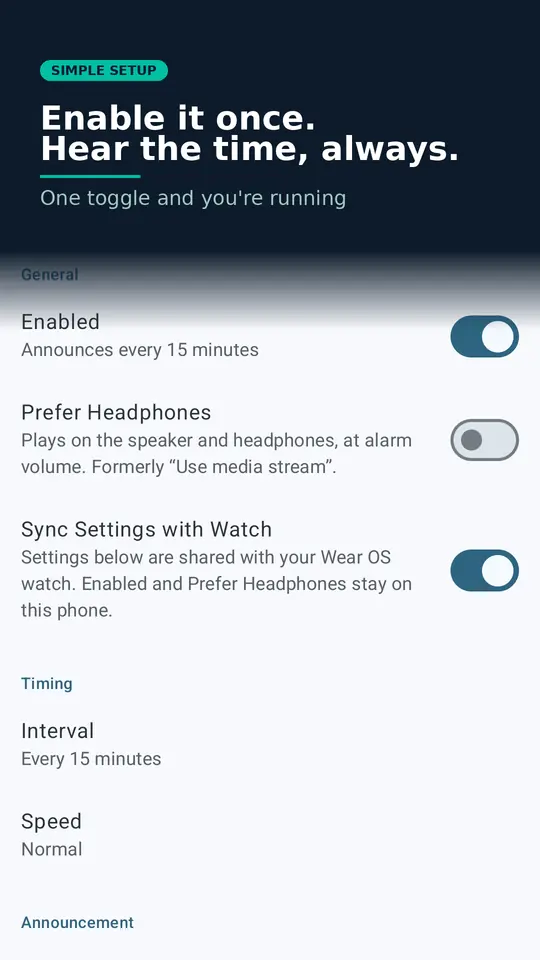
Set it once. Hear the time, always.

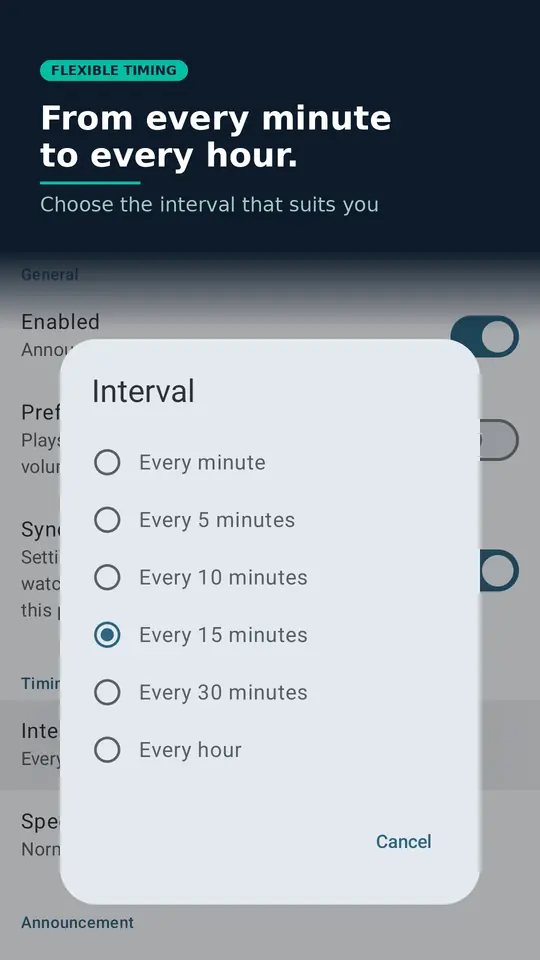
Talking Clock runs quietly in the background and speaks the time at whatever interval suits you: every 1, 5, 10, 15 or 30 minutes, or hourly. You can optionally include the day, date and month in each announcement, switch to 24-hour format, and set Quiet Hours to automatically silence announcements overnight. It's ideal if your hands are full, if you are visually impaired, or if you simply find it easier to hear the time than hunt for a clock.

New in 1.6.0 · Wear OS

Now on your wrist.

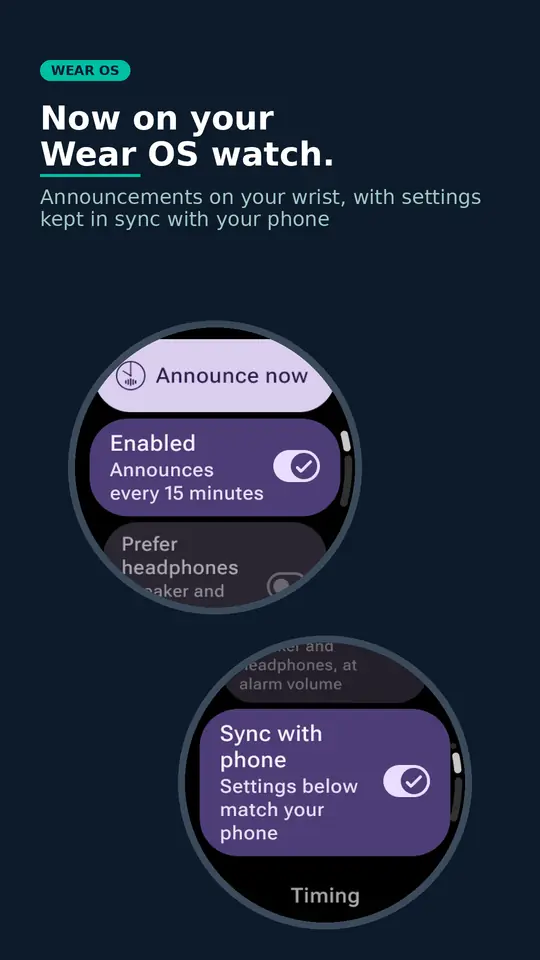
The Talking Clock watch app announces the time at the interval you choose, and it works on its own, so your phone doesn't need to be nearby. It has the same Quiet Hours, and the same option to include the day, date and month. Fancy a check between announcements? Tap Announce now and hear the time straight away, even during Quiet Hours or Do Not Disturb.

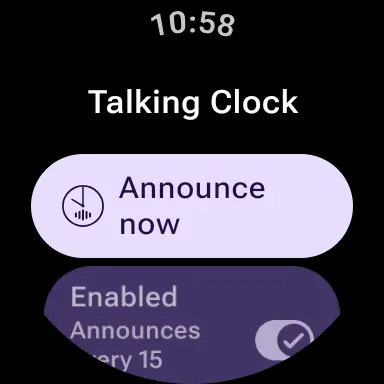
Talking Clock on a Wear OS watch, showing the Announce now button above the Enabled switch
Announce nowOne tap, any time
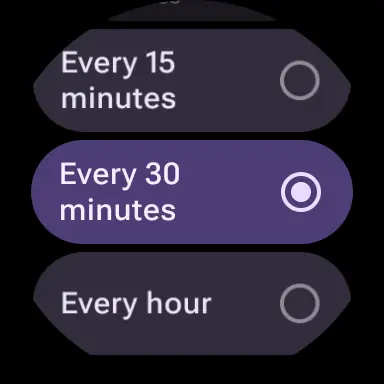
The watch interval picker, showing the options for every 15 minutes, every 30 minutes and every hour
Your interval1, 5, 10, 15 or 30 minutes, or hourly
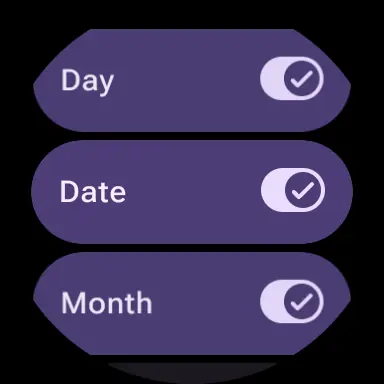
Watch switches for including the day, date and month in announcements
Day, date and monthInclude as much as you like
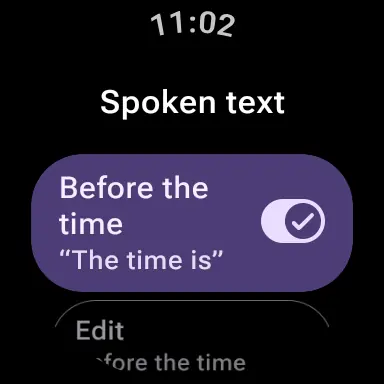
Watch setting for the spoken text before the time, with an Edit option
Your own wordingEdit what it says
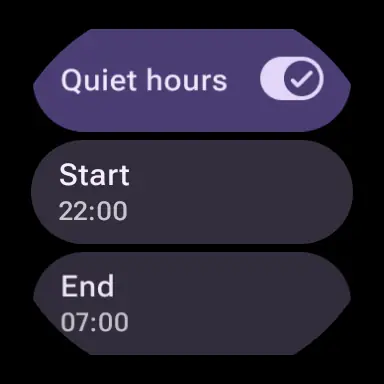
Watch Quiet hours switch with start and end times
Quiet HoursSilent when you need it
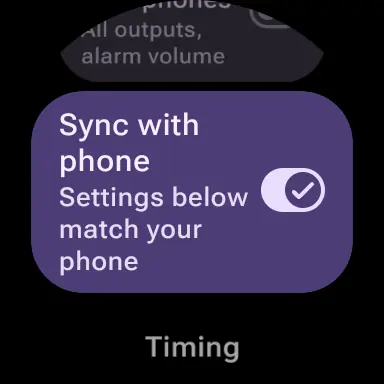
The Sync with phone switch on the watch
Sync with phoneOptional

Keep your phone and watch in step

Turn on settings sync and a change on your phone follows on your watch, and the other way round. You only set things up once. It's entirely optional, and you can switch it off at any time.

Whether announcements are enabled, and Prefer Headphones, always stay separate on each device, so muting your watch never mutes your phone. The sync option appears once Talking Clock is installed on both.

Screenshots

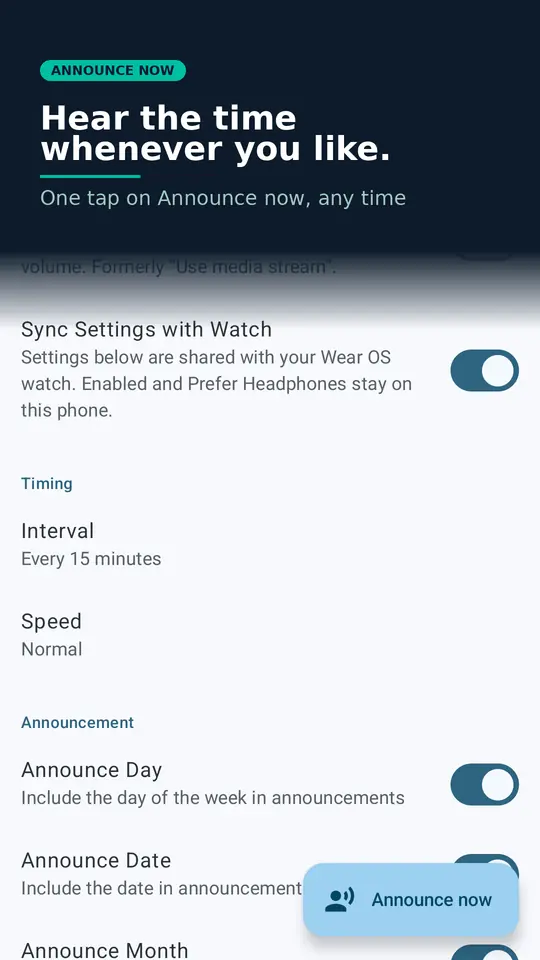
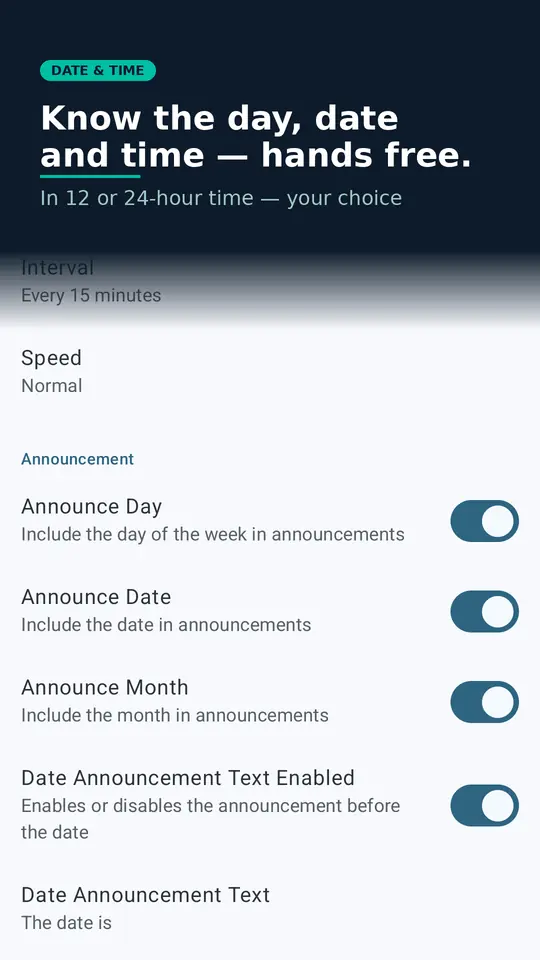
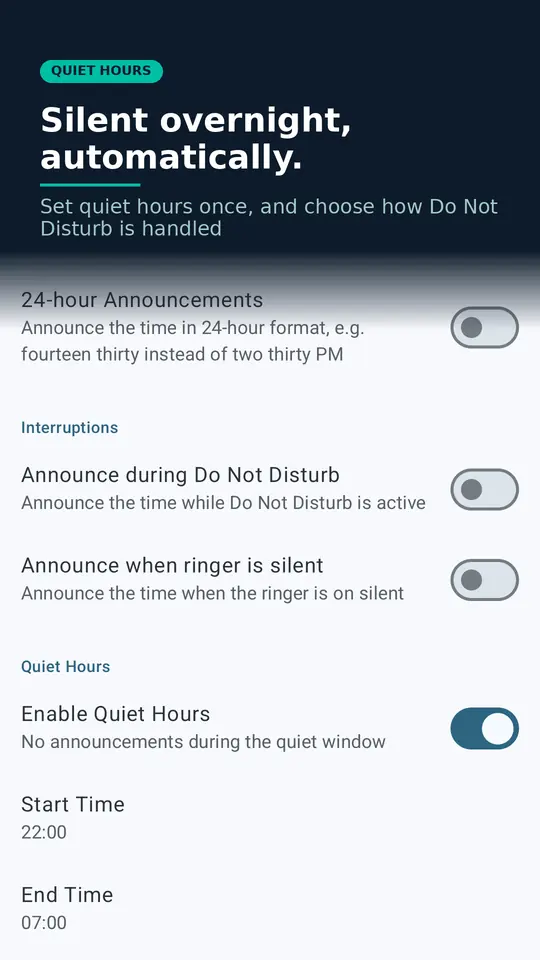
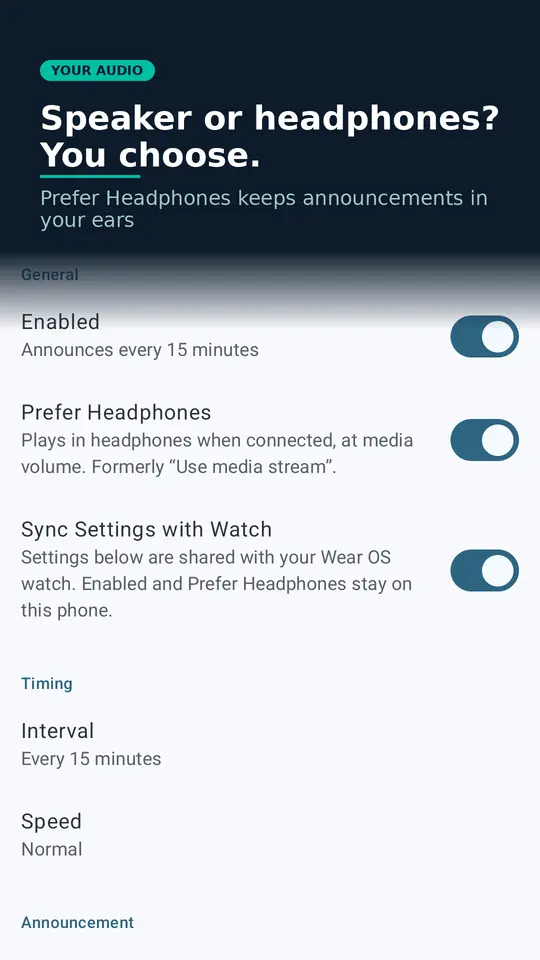
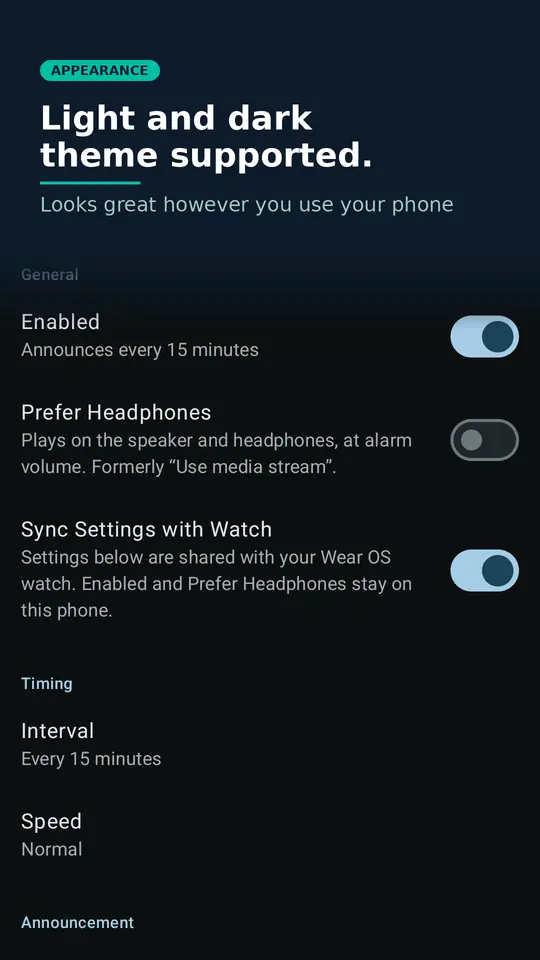
Talking Clock's Announce now button: hear the time whenever you like with one tap Talking Clock on a Wear OS watch: announcements on your wrist, with settings kept in sync with your phone Talking Clock home screen: one toggle to enable hands-free time announcements at your chosen interval Talking Clock interval picker: choose 1, 5, 10, 15 or 30 minutes, or hourly Talking Clock date settings: optionally include the day, date and month alongside every time announcement Talking Clock quiet hours and interruption settings: silence announcements overnight and choose how Do Not Disturb is handled Talking Clock's Prefer Headphones setting: choose whether announcements play through your headphones or the speaker Talking Clock dark theme: light and dark theme supported, looks great however you use your phone

Features

Wear OS watch app: announcements on your wrist, even without your phone nearby
Optional settings sync between your phone and watch
Announce now: hear the time with one tap, whenever you like
Smooth, natural-sounding announcements
Six announcement intervals: every 1, 5, 10, 15 or 30 minutes, or hourly
Adjustable speaking speed
Edit the announcement text to suit you
Pauses other audio apps during the announcement, then resumes them
Won't interrupt phone calls
Respects Do Not Disturb and silent mode
Prefer Headphones: hear announcements in your headphones, at media volume, when they're connected
Runs reliably in the background on Android
Quiet Hours: set a daily window where announcements are automatically silenced
Optionally include the day, date and month alongside the time
24-hour time format support
Light and dark theme, following your system setting

What people say

★★★★★
"This app is excellent. I use it at the gym where I don't have access to a clock and need to know what time to head back to the office. Simple to use and it doesn't interfere with my music. I highly recommend this app."
via Google Play
★★★★★
"Great app, found it very useful while I was ill with dehydration to remind me to drink. The various intervals were very useful for this. Also very helpful in the mornings when getting ready for work."
via Google Play
★★★★★
"Very simple to use and edit. Glad I can remove additional announcement text so that it can just say the time."
via Google Play

Ready to stop hunting for a clock?

Pay once. Yours forever. One purchase covers your phone and your watch. No subscription, no ads.
Get it on Google Play

Get in touch

Having a problem or a suggestion? We read every message.

hello@mrmoosoftware.com Follow on Facebook